
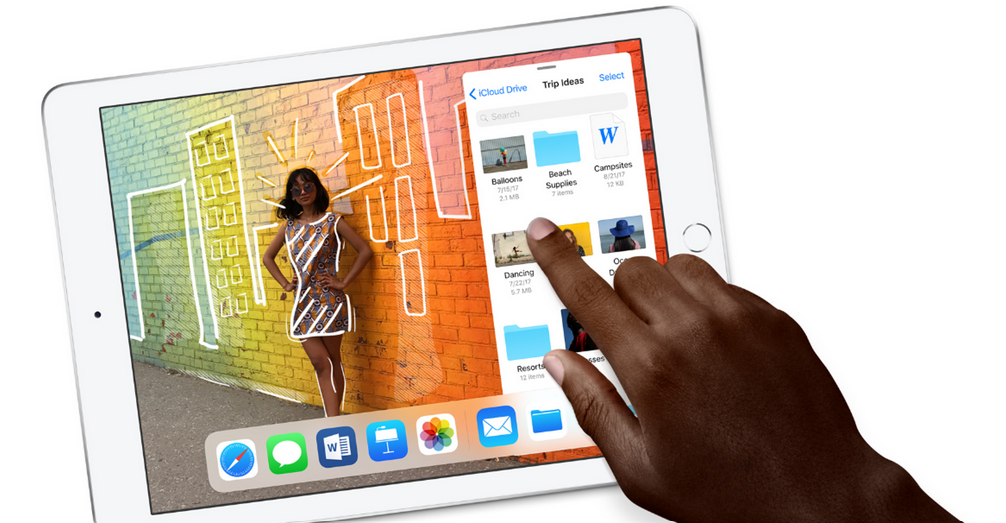
I don’t know when it started, but I’m a tab fiend. My computer browser is overflowing with sites I keep open just in case, one day far into the future, I might need them. And my iPhone? Well, that’s even worse.
Because so many links from chat applications automatically open in Safari, I have a ridiculous number of tabs open on my mobile. Normally, this doesn’t bother me. But every now and then I get that Marie Kondo urge and just want to simplify my digital life. And that means, finally, closing down all the tabs on my mobile browser.
Previously, I used to literally press that little cross on the top left of the tabs again and again, but then I saw the light. And, by the light, I mean I discovered a way to quickly close all the Safari tabs I’ve got open on my iPhone and iPad.
This, friends, is how.
Step #1: Open Safari
We’ve all got to start somewhere, right?
Step #2: Hold down on the tab viewer button

Step #3: CLOSE ALL THE SAFARI TABS

Click on that button and you’ll find joy in a new world.
ALTERNATIVE METHOD
There is… another way to close all the Safari tabs though. At Step #2, rather than holding on that icon, click on it, and you’ll get taken to a screen like this:
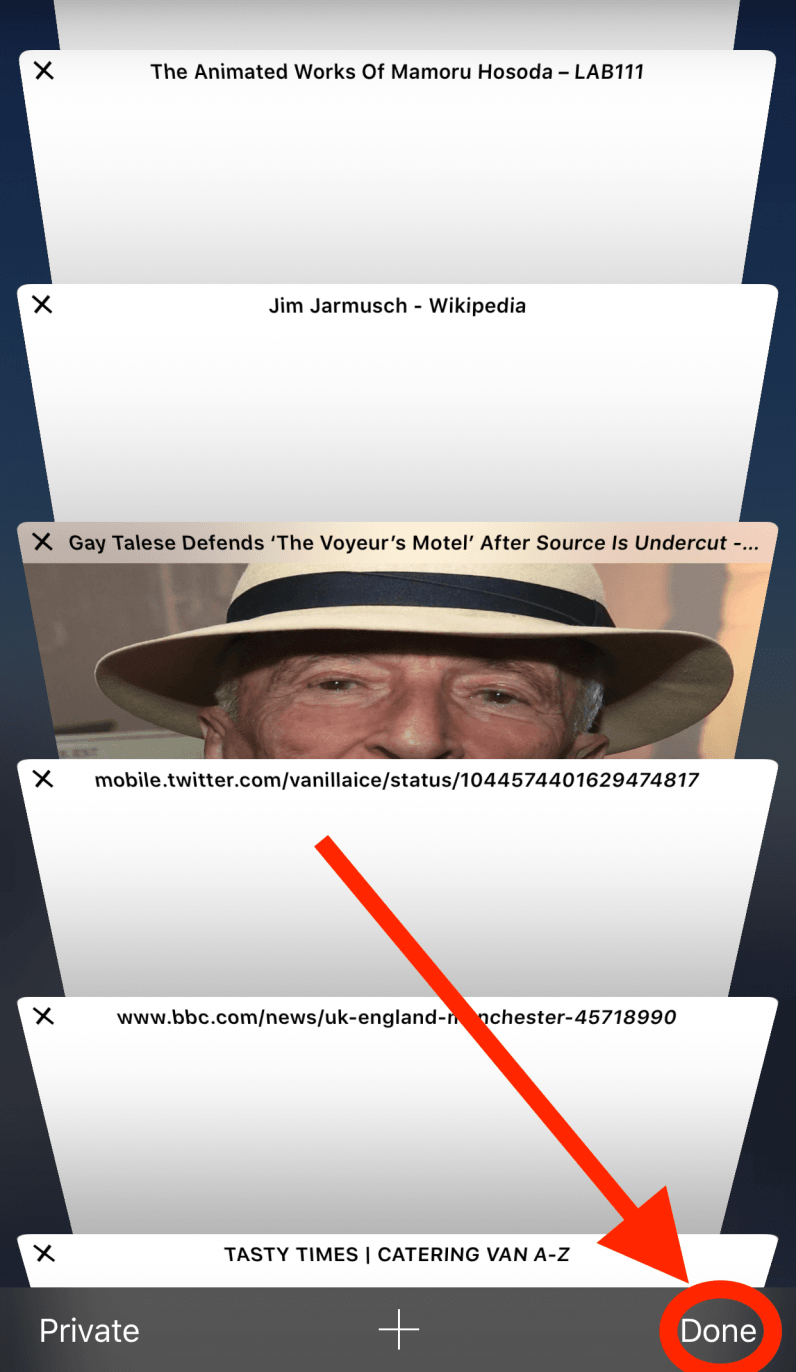
As the image suggests, hold down on the “Done” button. When you do that, you’ll be greeted by this screen:
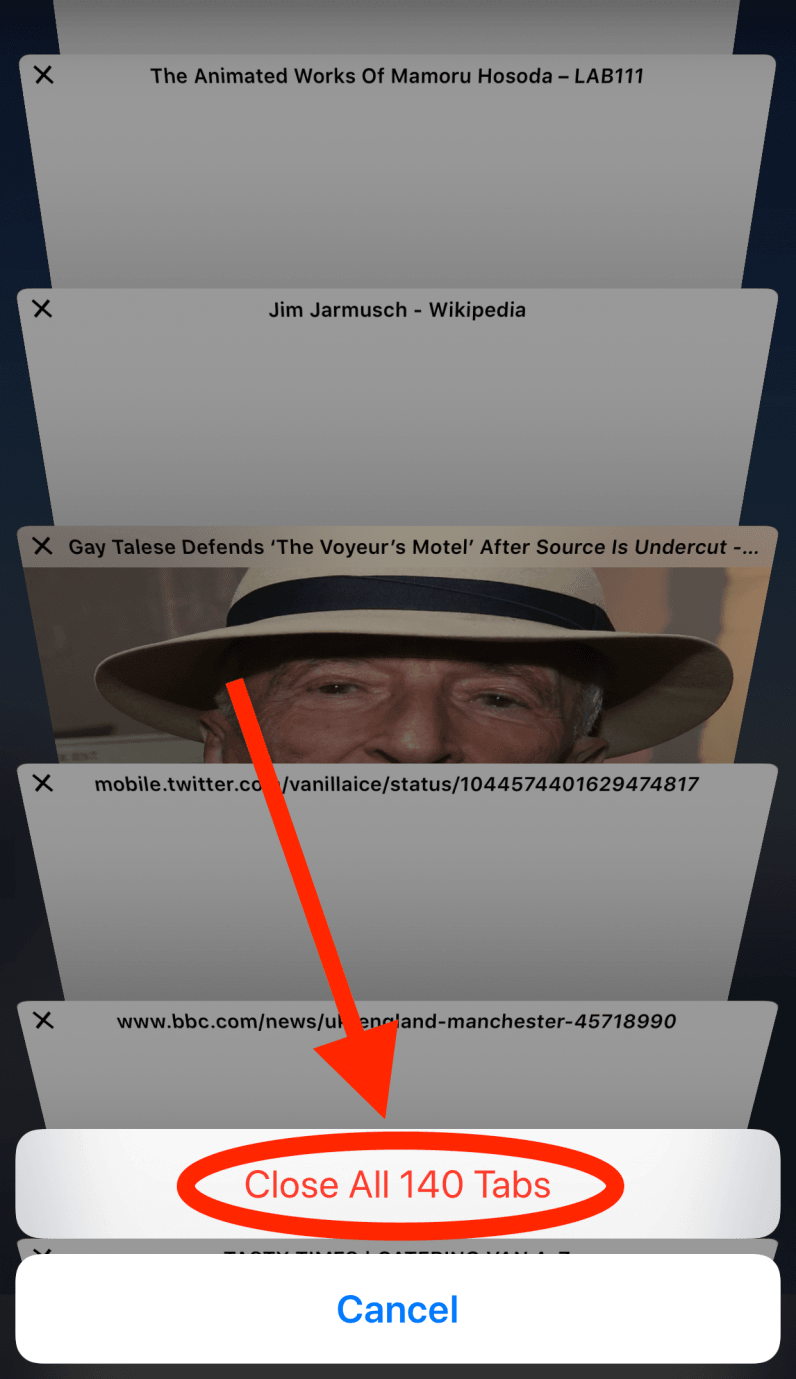
So, there you have it! A simple way to close all the Safari tabs on your iPhone. With these tricks you’ll no longer live in a world of too much information, and can return your mobile browser to a state of minimalism.
All Rights Reserved for Callum Booth
 Productivity Hub