
But will anyone use it more than once?
Last year, Insta360 revolutionized the idea of what a 360 camera could be capable of with the Insta360 One X. The One X was marketed not as a 360-degree camera, but instead a camera that could shoot 360 degrees of possible angles that could be accessed after the fact. Footage shot with the One X was also stitched in the camera and you were able to edit it right on your phone for quick uploads to social platforms.
One year later and GoPro is answering the One X with the $499.99 GoPro Max. It’s a successor to the GoPro Fusion which came out in 2017, required two memory cards, and stitching on a desktop: all the headaches of past 360 cameras in one conveniently forgettable package. But with the GoPro Max, the company borrowed from Insta360’s playbook and made the most accessible 360 camera I have used. And because of this, I think I could actually see this being the first 360 camera to get a regular spot in my kit.
Our review of GoPro Max
Verge Score 8.5 out of 10
/https%3A%2F%2Fcdn0.vox-cdn.com%2Fhermano%2Fverge%2Fproduct%2Fimage%2F9212%2Fbfarsace_191017_3741_0014.jpg)
Good Stuff
- Familiar, durable GoPro hardware
- Great audio quality
- Responsive touchscreen
Bad Stuff
- Stabilization is jittery, especially at night
- Linear, non-fisheye footage is grainy
- Doesn’t have as many resolution and frame rate options as the Hero 8
Buy for $499.99 from GoProBuy for $499.99 from Amazon
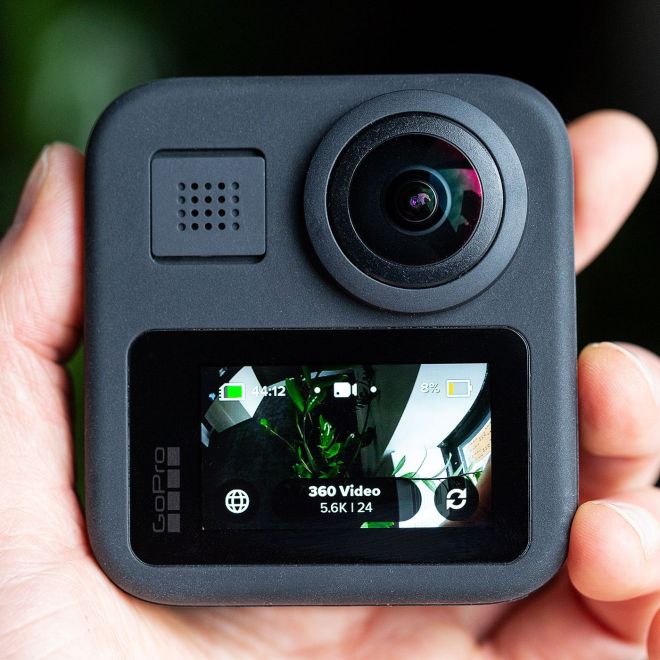
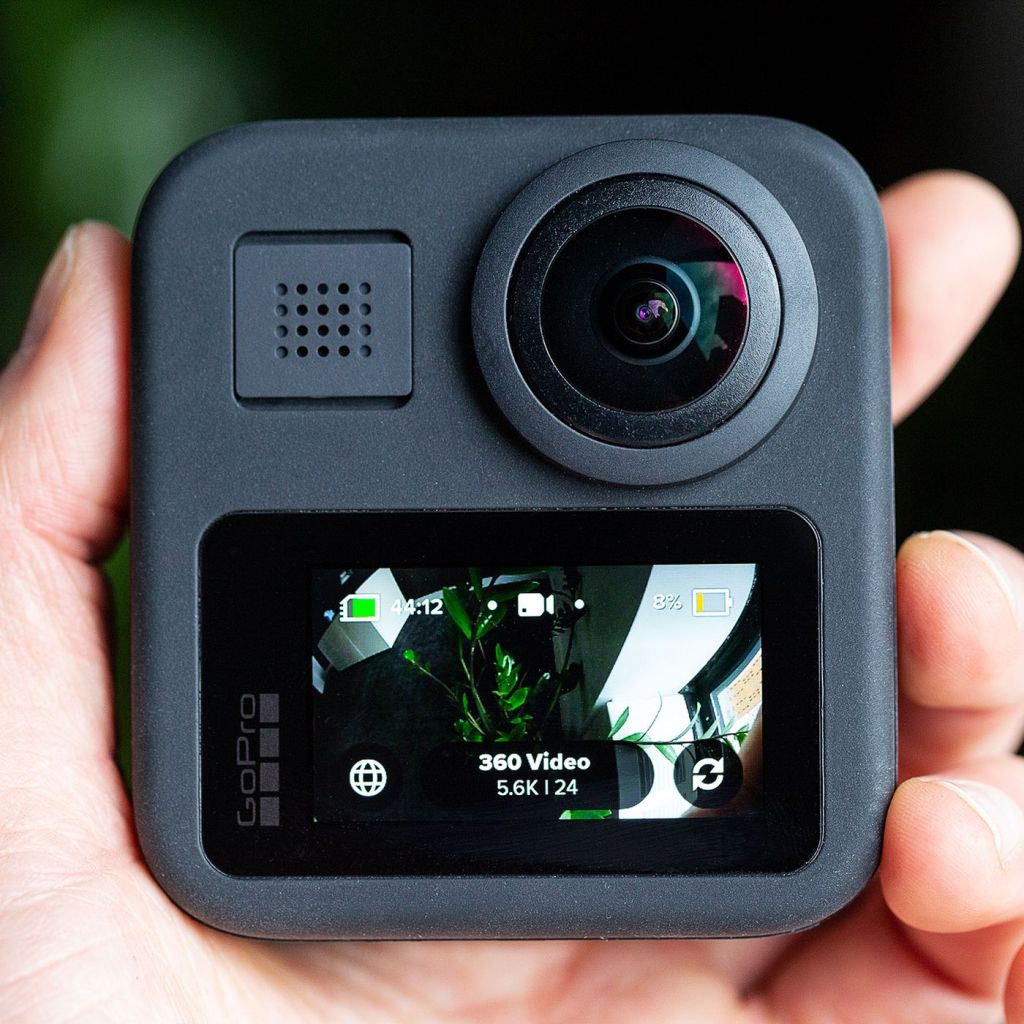
The GoPro Max has dual 180-degree lenses that shoot 16.6-megapixel 360-degree photos, 5.5-megapixel 4:3 shots from just one of the cameras (what GoPro is calling “Max SuperView” photos), and super cool 270-degree 6.2-megapixel panoramic photos called PowerPanos. For video, it can capture 1440p 60 fps footage with a single lens and 5.6k 30 fps spherical clips — just like the Insta360. There are mics on all but one side and it shares the same satisfying rubber buttons and button layout as the Hero 8. On the bottom, it has stowable mounting prongs that allow you to mount accessories to the camera without the need for a separate housing. The Max is compatible with all current GoPro accessories, just like the Hero 8.
/https%3A%2F%2Fcdn.vox-cdn.com%2Fuploads%2Fchorus_asset%2Ffile%2F19298958%2Fbfarsace_191017_3741_0008.jpg)
The touchscreen on the Max is a bit smaller than the touchscreen on the back of the Hero 8, but its menu system is identical. The big plus here is if you’re vlogging or taking a selfie, you can see yourself like on the DJI Osmo Action because, well, it has two lenses!
Although the camera is waterproof up to 16 feet, GoPro says it is not an underwater camera. Stitching 360-degree footage underwater is an ongoing problem for GoPro, and this waterproofing is better suited for strapping the camera to the front of a surfboard without having to worry about it getting wrecked.
The touchscreen is very responsive, but you can’t use it to scroll around your frame in 360 mode since the screen has swiping gestures, such as swiping down to reach the main menu. You can, however, switch between lenses by tapping a button on the screen, but that only works before you start recording. Once you hit record, the screen has no functionality other than being a viewfinder to the lens you chose before rolling. The image on the screen will, however, stay level with the horizon no matter which way you turn the camera. And it does so with almost no noticeable lag.
When shooting the warped, super-wide fisheye look, the footage is crisp and vibrant.Skin tones are true to life and the Max is not afraid to overexpose the highlights a bit. I prefer this to the flatter color grade of the One X, especially if you don’t want to spend time color correcting after the fact. Even if you are color correcting, neither camera gives you very much latitude to work with, so most of the time it’s not worth the effort.
/https%3A%2F%2Fcdn.vox-cdn.com%2Fuploads%2Fchorus_asset%2Ffile%2F19307450%2FMAX_CASTLE_03.gif)
But when I punch in to a linear, non-fisheye look, the footage starts to show its grain and the smoothing GoPro’s software is doing to compensate for the stretched dimensions.If this footage will only be viewed on a phone, who cares? But if you’re paying $500 for this camera, I’d expect it to be used for more than that.
The Max’s 360 video is stabilized with software. It bobs as you would expect when walking and can be really jittery, especially at night. The stitching is most noticeable at the top and bottom of the frame, and since most GoPro mounts typically have wider bases than the camera, there is almost always a bit of an artifact from the mount in the footage. Overall, though, once you export the 360 footage the stitch is really clean.
The Max’s audio capture, however, is the best I have heard from a consumer 360 camera. The wind reduction can add a lot of compression, but overall it actually reduces the sound of wind while keeping voices intact. I tested the camera in 25 mph winds and you could still hear me speaking.
/https%3A%2F%2Fcdn.vox-cdn.com%2Fuploads%2Fchorus_asset%2Ffile%2F19298954%2Fbfarsace_191017_3741_0004.jpg)
There are three GoPro Max-specific modes new to the GoPro camera line — PowerPano, Max Superview, and Max Timewarp. PowerPano shots are 270-degree photos that use both lenses to capture extra-wide panoramic views. The photos are clear and offer a panoramic photo in an instant rather than having to scan the landscape with your phone. Max SuperView is the widest angle GoPro has to offer. It shoots 1440p60 video using one of the Max’s 180-degree lenses, and offers Max Hypersmooth, which GoPro claims is its most stable form of video stabilization. At 60 fps, the video is only available in 4:3, but its stabilization is gimbal-level (at least when you have perfect lighting conditions) with the waterproofing and small size of a GoPro.
Lastly, Max Timewarp provides time-lapse video in 360. It is really cool, but a battery killer. I saw my battery drop 15 percent off a fresh charge while shooting a Timewarp video for 10 minutes straight. I wish the screen would go off sooner while shooting these to save some battery.
The GoPro Max charges over USB-C and uses a slightly larger battery than the Hero 8. I needed two of these batteries to get a full day of heavy use, which is in line with my experience on other GoPro cameras.
/https%3A%2F%2Fcdn.vox-cdn.com%2Fuploads%2Fchorus_asset%2Ffile%2F19298957%2Fbfarsace_191017_3741_0007.jpg)
/https%3A%2F%2Fcdn.vox-cdn.com%2Fuploads%2Fchorus_asset%2Ffile%2F19298956%2Fbfarsace_191017_3741_0006.jpg)
All footage can be edited in the GoPro app and the 360 editing experience is the most approachable I have used. It is all keyframe-based and even adds ease in and ease out transitions to create polished moves between your keyframes within the 360-degree capture. After a long day of shooting, I was actually excited to jump into the app and work on editing the footage.
Agree to Continue: GoPro Max
Every smart device now requires you to agree to a series of terms and conditions before you can use it — contracts that no one actually reads. It’s impossible for us to read and analyze every single one of these agreements. But we started counting exactly how many times you have to hit “agree” to use devices when we review them since these are agreements most people don’t read and definitely can’t negotiate.
To use the GoPro mobile or desktop apps to view, transfer, and edit footage from the GoPro Max, you must agree to two mandatory items:
- GoPro’s terms of service
- GoPro’s privacy policy
Additionally, there is an optional agreement in the app to share personalization data with GoPro, which the company says it uses “to improve products and customer experience.”
Final tally: two mandatory agreements and one optional agreement.
GoPro does have a 360 desktop app as well, called GoPro Player. It mirrors the mobile app experience with added codec options at export: H.264, ProRes, and HEVC. As far as 360 video editing goes, I was blown away by its ease.
GoPro has become a household name for its durable, portable little action cameras and the Max is no different. While the camera has a lot of great features, it was the ease of the app experience that ultimately made me want to keep using this.
In the past, 360-degree footage meant high-end equipment and headaches in post, and that always pushed me away from using it. But when put in the same form factor and app as a GoPro Hero, a workflow I have been using for years, it’s way more approachable.
Is this enough to be more than a novelty camera that will ultimately end up in a forgotten tech bin in my basement? I’m not entirely sure. But it’s the most fun and user-friendly 360 camera I have used to date and I’m excited to see where GoPro takes this line in the future.
All Rights Reserved for Becca Farsace
 Productivity Hub